Free Graphic Design Project Scope Template [Docs / DOCX]
Without a graphic design project scope template, a "simple logo" project can quickly evolve into creating business cards, social media graphics, and a comprehensive brand guide, all for the same price. This can result in you working extra hours for free and ultimately losing money.
A project scope document fixes this. It lists exactly what you'll deliver, the number of changes you'll make, and what costs extra. This guide includes a step-by-step breakdown, real examples, and a free template you can use right away.
What is a graphic design project scope?
It is a reusable document that clearly explains what you will and won't deliver in a project, including goals, deliverables, timelines, and boundaries. It serves as your protection against misunderstandings and sets clear design project parameters from the start.
However, before we dive into building your template, it's essential to understand why these documents are so crucial for creative agencies.
Why creative agencies need a project scope
A clear project scope prevents unlimited changes that waste time and money, helps agencies manage creative requests effectively, and keeps clients and agencies aligned on what work is included.
Using a written scope document makes agencies appear professional, builds trust with clients, and provides both parties with a clear reference point when questions arise about additional work or costs.
DarkRoast, a subscription-based design service that manages over 30 designers for Canadian DTC and CPG brands, utilizes ManyRequests to maintain clear project boundaries across hundreds of monthly design requests. With detailed scopes for each branding and packaging project, they prevent scope creep while scaling their operations efficiently, ensuring every designer knows exactly what to deliver without confusion or endless revisions.
Project scope vs. Creative brief: What's the difference?
Many people confuse creative briefs and project scopes, but they serve different purposes in your overall project framework.
Creative brief
It explains the "what" and "why", covering the project's goals, target audience, key messages, and creative direction, while capturing the client's vision and strategy. This document guides your innovative thinking and ensures your design serves its intended purpose.
Project scope
It focuses on the "how much" and "when"; it lists specific deliverables, timelines, boundaries, and budget to protect you from doing extra unpaid work.
A creative brief explains the ideas and message for a project. In contrast, a project scope outlines the actual tasks, deadlines, and responsibilities that are required to complete the project. Using both together helps everyone understand both the creative goals and the real-world limitations of the work.
Now that you understand what a scope document is and how it differs from a creative brief, let's build one section by section. Each component plays a specific role in protecting your agency and setting up project success.
Essential components of a graphic design scope of work
A good design template includes eight parts that cover both the creative ideas and the actual work details, which work together to prevent confusion and stop projects from growing beyond their original plan:
1. Project overview and background
Every project requires a basic context, which includes the client's name and contact information, the project name, and an explanation of why the project matters to the client. This foundation helps everyone understand not just what you're creating but why it's essential, which guides better design decisions later.
2. Project objectives and goals
Building on that context, your objectives define what success looks like.
Project objectives are specific, measurable goals that define what the design should achieve, such as increasing brand awareness or improving user experience. Clear objectives help you make design decisions, measure success at the end, and avoid endless debates about personal preferences by keeping everyone focused on results. These goals should connect directly to the "why" you established in your project overview.
3. Deliverables
Once you know what you're trying to achieve, you need to define precisely what you're creating to get there. Include exact quantities, variations, dimensions, file formats, and technical specifications such as resolution.
For example, clearly state how many initial concepts you'll present (like "two logo concepts") and what final files you'll deliver (like "3 logo variations in .AI, .EPS, .SVG, and .PNG formats at specific sizes," plus an 8-page brand guidelines document).
This level of detail prevents confusion and endless rounds of revisions later. Every detail you include now is one less argument you'll have during the project.
With deliverables clearly defined, the next natural question becomes: when will all of this happen? Your timeline transforms these deliverables from a wish list into an actionable plan.
4. Timeline and milestones
Your timeline section breaks the project into manageable pieces, with specific dates for key milestones, including kickoff meetings, concept presentations, revision rounds, and final delivery.
Breaking large projects into checkpoints creates accountability for both you and your client, helps everyone track progress, and lets you catch problems early before they become expensive to fix. Each milestone should tie directly to specific deliverables you've listed, creating a clear path from start to finish.
Of course, timelines rarely survive first contact with real clients, which is why your revision policy becomes crucial for maintaining control.
5. Revision policy
Your revision policy should clearly state how many revision rounds are included (usually 1-3) and explain the difference between minor revisions (such as changing colors or fonts) and significant changes (like completely new design directions, which may incur additional costs).
Setting clear limits and prices for additional revisions protects your time and profitability while keeping the project moving forward efficiently. This policy works in conjunction with your timeline. When clients are aware that they have a limited number of revisions, they provide more focused and thoughtful feedback.
But even the clearest revision policy can't account for everything; your project also depends on things outside your direct control.
6. Assumptions and dependencies
Assumptions and dependencies outline what you expect the client to provide (such as photos, copy, or brand guidelines) by specific dates, as well as any external factors that might impact the project timeline.
Clearly stating these upfront prevents delays and protects you from being blamed when clients don't provide materials on time, allowing you to adjust deadlines accordingly. This section acknowledges that you can't work in a vacuum; you need specific inputs to deliver outputs.
7. Out of scope (your protection against scope creep)
Clearly listing what's not included in the project, such as extra social media sizes, website coding, printing coordination, copywriting, or photography, prevents misunderstandings and allows you to professionally explain when client requests fall outside the original scope and require a separate quote.
Of course, scope protection only matters if you're also transparent about money.
8. Budget and payment terms
Your budget section should clearly state whether you charge a fixed price or an hourly rate, include a payment schedule (e.g., 50% upfront and 50% at completion), and list any extra costs (such as rush work or additional revisions) to prevent payment disputes.
These parts create a comprehensive scope document, but you will need to adjust the specific details based on the type of design project you're working on.
How to adapt your scope template for different design projects
Different design projects need different specific details in their scopes, but all projects should include the same eight basic parts to make sure the scope fits the work and protects you, no matter what type of design you're doing.
Let's examine how to adapt your template for the most common project types that agencies encounter.
Branding and logo design projects
For branding projects, list every specific item you'll create, including all logo file types, small business branding assets, color codes, and fonts. State precisely how many logo options and revisions are included, and clearly explain the cost for any extra work to prevent clients from asking for endless changes.
The transition from branding to marketing materials introduces new challenges, particularly in production specifications.
Marketing collateral and print design
For print projects, include all technical details, such as file formats, bleed sizes, and color settings, in your scope. Clearly state that you're only creating the design files and not managing printing or communicating with printers, unless the client pays an additional fee for these services.
Digital projects present different challenges; instead of one fixed format, you're managing multiple platform variations.
Digital and social media design
For social media projects, list every specific platform and image size you'll create, as clients often don't realize that resizing requires significant effort and visual design elements across platforms. Clearly state that any extra sizes, platforms, or animated versions will incur additional costs to prevent endless requests.
Packaging design adds another layer of complexity with its blend of structural and visual elements.
Packaging design
Clearly separate graphic design and structural design for packaging projects, as they require different skills and pricing. Specify that you're only creating the graphics, unless the client pays extra to design the physical structure as well.
Design project scope comparison
5 Costly mistakes to avoid in your scope document
Even experienced agencies often make five common mistakes in their scope documents that can result in thousands of dollars in unpaid work and damage client relationships.
Let's examine each one and how to avoid it.
Using vague deliverable descriptions
Being vague, such as "design a brochure," can cause problems because clients will assume what's included. Instead, be specific about exact details, like "8-page tri-fold brochure with layout and print-ready files," to avoid confusion and arguments later.
Not limiting revision rounds.
Without clear limits on revisions, projects can become endless and unprofitable, affecting your overall graphic design project management efficiency. Therefore, always state how many revision rounds are included and explain that small changes count as revisions, while entirely new designs count as extra work that incurs additional costs.
Missing file format specifications
Clients will expect you to provide every possible file type unless you specify exactly what's included. Therefore, list all formats, such as ".AI, .EPS, .SVG, and .PNG files," and clearly state that any additional formats will incur an extra cost to prevent endless requests after the project ends.
Forgetting usage rights and licensing
Clients often assume they can use your designs anywhere and at any time without restriction. State exactly how and where they can use the designs, including time limits, locations, and media types, to prevent future conflicts and protect your work.
Not documenting what's "out of scope"
Without a clear "Out of Scope" section listing what's NOT included, clients will request extra work, assuming it's free. Create this section to protect yourself and turn those requests into paid opportunities instead of unpaid work.
Avoiding these mistakes creates a good scope document, but you need to actively use it throughout the entire project to safeguard profits and client relationships.
Conclusion
A detailed project scope protects you from endless changes and unpaid work by setting clear boundaries, respond to extra requests with specific costs and timelines, and check off deliverables at each milestone to track progress.
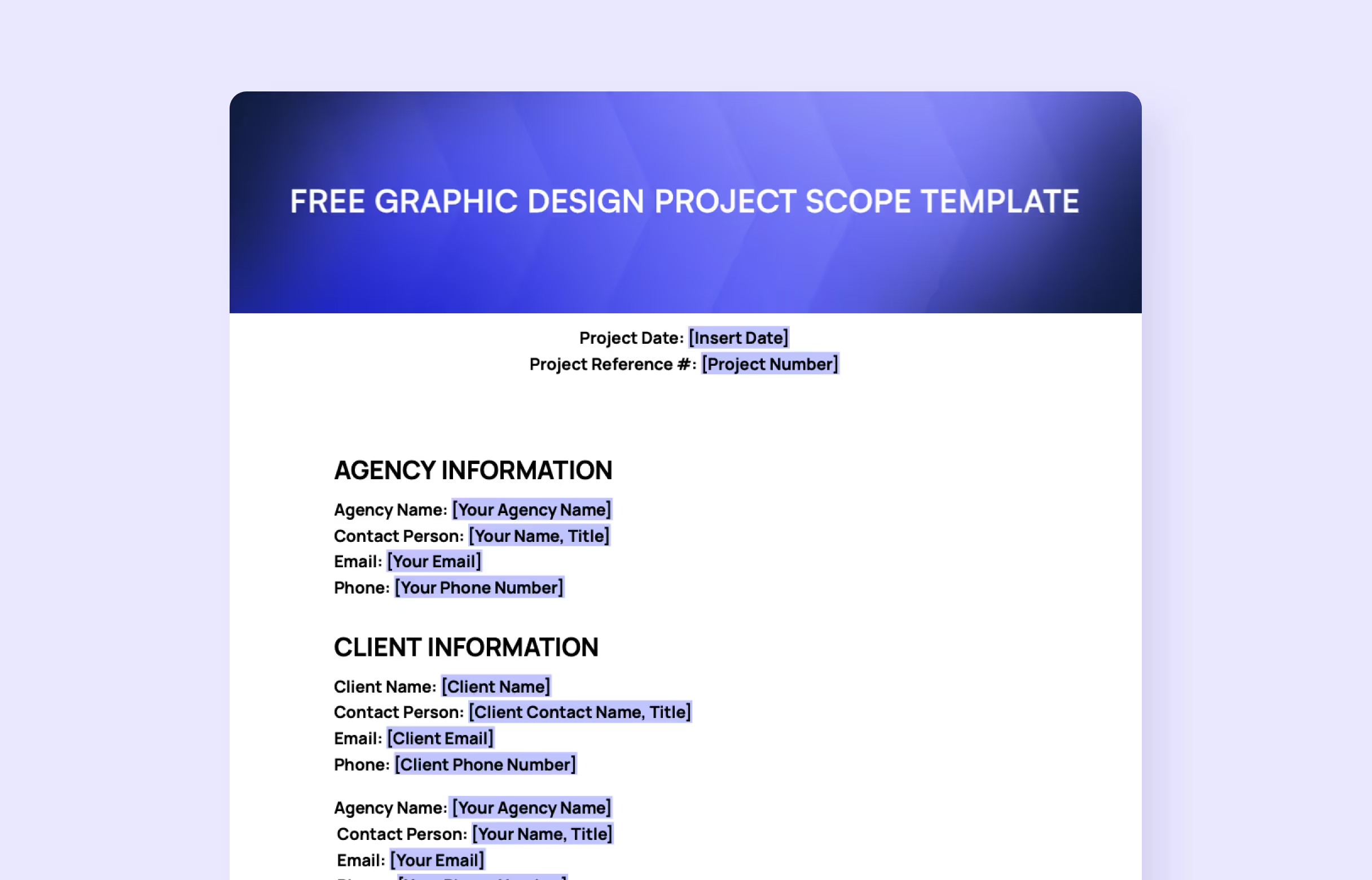
Download our free graphic design project scope template to get started, or streamline your entire workflow with ManyRequests. This all-in-one platform automates your workflow with built-in approvals, tracking, and client collaboration, saving you time and energy on paperwork. Try it risk-free with a 14-day free trial.
Frequently Asked Questions
What is the project scope in graphic design?
In graphic design, a project scope is a detailed outline that defines the specific goals, deliverables, requirements, timelines, and boundaries of a design project. This ensures clear expectations, prevents scope creep, and guides successful project execution from start to finish.
What is the scope of graphic design?
The scope of graphic design is the creation and arrangement of visual elements—including typography, color, imagery, and layout—to effectively communicate messages and ideas to a specific audience across various media and platforms.
What is an example of the scope of a project?
A project scope example is: Designing an 8-page, 8.5x11" tri-fold brochure that includes the creation of layouts, graphics, and print-ready files, excluding print production and additional revisions beyond two rounds, with a completion timeline of 4 weeks and a fixed budget of $5,000.
.svg)